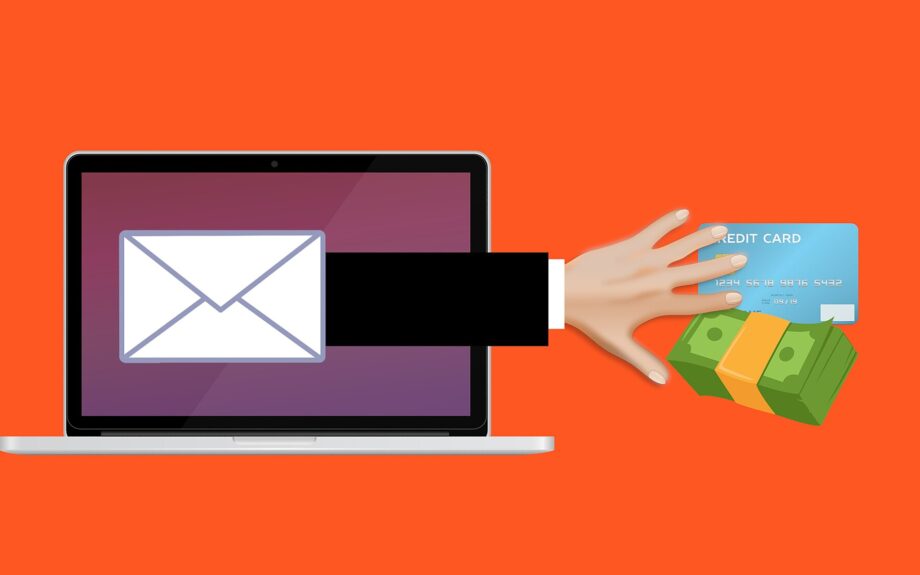
Phishing is a social engineering scam in which an attacker pretends to be a trusted person or organization, such as a bank, employer, delivery service, or online provider. The goal is to steal passwords, one-time verification codes, money, or sensitive information, usually through email, text, or a phone call. Its main tool is deception: convincing you to act.
How it works
Phishing usually starts with reconnaissance. The attacker may use public social media, company directories, breached information, or a compromised account to learn who you are and what service you use. They then imitate a familiar sender, often with a convincing display name, a look-alike web address, or both. A fake letterhead and realistic wording help the message pass a quick glance. They may also hide behind a compromised real account.
The scam creates a reason to act now: an overdue bill, a suspicious sign-in, a missed payment, or a request from a colleague. The attacker wants you to click a link, open an attachment, reply, make a call, or send money. Information entered on a fake page can be captured and reused; an infected attachment may give the attacker access to the device.
Some attackers send thousands of generic messages and count on a few replies. Others focus on one person, using details about their job, location, or recent activity. Phishing can begin by phone or text as well as email. The basic trick remains the same: borrow trust, then redirect your action to the attacker.
How to spot common red flags
Scams can look polished, so check for a pattern rather than relying on one obvious mistake. Common warning signs include:
- Manufactured urgency or fear. A message says an account will close, a payment will fail, or consequences will follow unless you act immediately. Real problems can be urgent, but pressure is a reason to slow down and verify.
- A sender that does not quite match. Check the full address, not only the display name. Watch for extra, missing, or substituted letters, unfamiliar subdomains, and look-alike domains. A familiar name can still be copied.
- A link to an unexpected destination. Preview it when possible and compare it with the service’s real address. Shortened links and redirects can hide the true destination, so if you are unsure, open the service through its app, a bookmark, or a web address you type yourself.
- A request for secrets or money. Be wary of requests for a password, PIN, one-time verification code, recovery phrase, gift cards, or a transfer to an individual. No legitimate service needs you to reveal a password or a code it just sent.
- An unexpected attachment. Archives, scripts, executable files, and documents asking you to enable content can install malware. Be careful even when a file arrives through a work or personal messaging service.
- A mismatch with normal practice. The request may use an unusual channel, demand secrecy, or combine real details with an implausible request. A supplier, relative, or senior colleague may be impersonated, so verify unusual instructions separately.
Spelling errors and strange design are possible clues, but experienced phishers can avoid both. Judge the request, sender, destination, and timing together.
Smishing is phishing by text message; vishing is phishing by phone call. Calls may encourage you to stay on the line, while texts may hide a link behind a shortened address. Spear phishing is tailored to a particular person or organization, often using credible details about a colleague, supplier, recruiter, or service. The better the attacker knows the target, the harder the message may be to dismiss. Spear phishing aimed at senior leaders is sometimes called whaling, though the essential feature is the targeting and the valuable action sought.
A worked example
Imagine an email that appears to come from your employer’s payroll team. It says a recent change to your payment details needs confirmation and gives a link to a realistic sign-in page. The page uses a slightly altered web address, but the logo and layout look familiar. If you sign in, the page records your password. It then claims verification failed and asks for the one-time code you just received by text.
This is a common two-step trap. The first message manufactures urgency; the fake page converts that urgency into stolen credentials; the follow-up request catches the one-time code. If you had opened the service yourself and noticed that your employer did not request the change, the attack would have failed at the first step.
How to protect yourself
Use these habits for email, texts, and calls alike:
- Pause before acting. Read the message without clicking. Ask whether the request makes sense, whether you expected it, and what the attacker might gain. An unexpected request deserves extra scrutiny, especially one involving money, access, or personal details.
- Verify independently. Do not use phone numbers, reply addresses, or links supplied in the suspicious message. Contact the person or organization through a known app, an existing bookmark, a number on a statement, or a directory you trust. For a workplace request, follow established internal procedures.
- Navigate safely instead of clicking. If a message says your account has a problem, open the relevant app or type the organization’s known web address yourself. On a phone, long-press a link to preview it when your device allows, but avoid the link if anything looks wrong.
- Protect the account, not just the inbox. Use a unique, long password for each important service and a password manager to generate and store them. Enable multifactor authentication, preferably an authenticator app, passkey, or security key when offered. Never share a one-time code; some attackers use those codes in real time to complete a takeover.
- Handle attachments cautiously. Do not open an unexpected file, especially if it asks you to enable macros or other content. Confirm the need to open it with the sender using a separate, trusted channel, and keep your device’s security features updated.
- Report the attempt. Use the reporting control in your email or messaging app, or the organization’s established security channel. Exact menu names vary by service. Reporting helps others and may trigger protective steps. If it involved work, tell the appropriate internal team rather than handling it alone.
If you already clicked, replied, or entered information, act quickly rather than waiting for a visible problem. From a trusted device, contact the affected service through its official site or app, change the relevant password, sign out other sessions if the service offers that option, and review recent account activity. If an attachment ran, update your security software and use its tools to check for threats. If you sent money, contact your financial institution immediately; fast reporting may improve the chance of recovery. If you disclosed personal information beyond a password, consider guidance from the relevant identity-theft support service. Do not hide a mistake: prompt reporting limits the damage.
Key takeaways
- Phishing steals trust before it steals data. Slow down when a message demands immediate action.
- Check the full sender address, link destination, request, and context; one clue alone may not be enough.
- Verify through a channel you choose, not one supplied in the message.
- Use unique passwords and multifactor authentication, and never share verification codes.
- If you clicked or entered information, contact the affected organization or financial institution promptly.
Frequently asked questions
What is the difference between phishing, smishing, vishing, and spear phishing?
Phishing is the umbrella term for deceptive email, text, and calls. Smishing and vishing simply name the channel. Spear phishing is more specific: it uses researched, personalized details to target a particular person or organization. A spear-phishing attempt may still arrive by email, text, or voice, so the labels describe method and targeting rather than mutually exclusive categories.
How can I tell whether a message or call is fraudulent?
No single clue proves a message is fake. Look at the whole situation: Does the sender’s full address match the organization? Does the link lead to the expected domain? Is the request logical? Are you being rushed? If one answer is strange, stop and verify through a separate channel you choose. Professional phishing can have perfect spelling and design, so appearance alone should not decide the issue.
Can a legitimate organization ever ask for my password or a verification code?
A password, PIN, recovery phrase, or one-time verification code should never be disclosed to someone who contacted you first, whether by email, text, or call. A legitimate organization may ask questions to confirm your identity, but it should not use those questions to collect secrets that would let someone take over your account. If uncertain, end the contact and call the organization using a trusted number.
What should I do if I clicked, opened an attachment, or shared information?
Treat it as an incident. Contact the affected service through its official site or app, change the password from a trusted device, end other sessions if possible, and review account activity. For money transfers, contact your financial institution at once. If malware may have run, use trusted security tools and seek technical help. Share what happened with your employer or another responsible person if the attempt involved work; prompt reporting can limit harm and protect others.